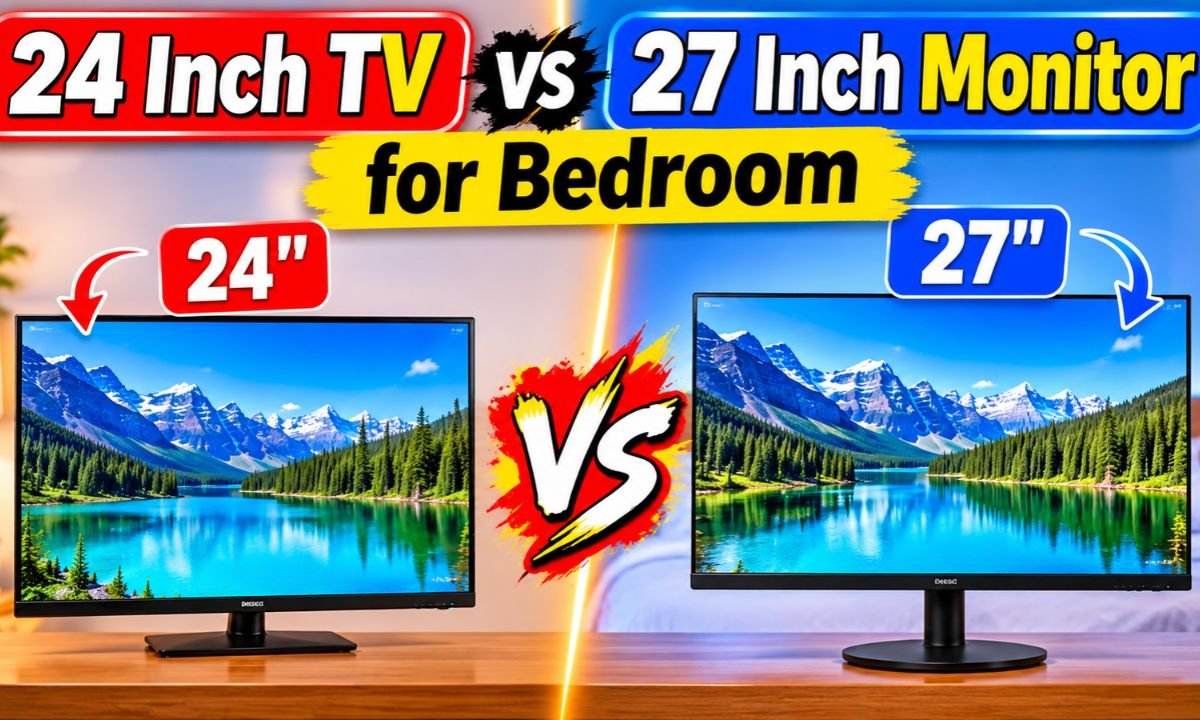
24 Inch TV vs 27 Inch Monitor for Bedroom: Best Pick
**A 27-inch monitor offers more screen space for work and gaming, while a 24-inch TV suits simple bedroom entertainment.**
After a long day at work, you may want to relax with a show, watch YouTube, or play a game from your bed. In a small American bedroom, a large television can take up too much wall or desk space. A compact screen seems like a better choice. But should you buy a 24-inch TV or a 27-inch monitor? Both sizes can work well in a bedroom, yet they serve different needs. I would compare screen clarity, viewing distance, sound, ports, comfort, and price before making a choice. The right screen should fit your room and your daily routine.
🏆 Top 3 Products

Philips 27 Inch FHD 100Hz Monitor 271V8LB
Its larger 27-inch screen gives bedroom users more room for videos, games, and everyday computer tasks.
Philips 24 Inch FHD 100Hz Monitor 241V8LB
Its compact size and Full HD resolution make it a sensible option for small bedrooms and short viewing distances.
Philips 24 Inch FHD 100Hz Monitor Review
The Philips 241V8LB is a 24-inch computer monitor with a Full HD resolution of 1920 x 1080 pixels. It uses a VA display panel and supports a refresh rate of up to 100Hz. The screen also offers a 4ms GtG response time and Adaptive Sync support. These features make it worth considering if you need a compact screen for a bedroom desk or a small entertainment setup.
I like the idea of this screen for rooms where space matters. Its 24-inch size can fit on a narrow desk without taking over the whole surface. The monitor also includes HDMI 1.4, tilt adjustment, VESA mounting support, Flicker-Free technology, and Low Blue Light features. Its listed four-year Advance Replacement Warranty is another point worth checking before purchase. However, this is a computer monitor, not a standard television, so you should check your source devices and audio needs first.
✅ Pros
- ✔ Compact 24-inch size: This screen can fit well on a small bedroom desk. It leaves more room for a keyboard, mouse, lamp, books, and other items.
- ✔ Full HD resolution: The 1920 x 1080 resolution gives you a clear image for common computer tasks, online videos, web pages, and casual games.
- ✔ 100Hz refresh rate: The higher refresh rate can make scrolling and supported motion look smoother than a standard 60Hz display.
- ✔ VA panel: This panel type can offer strong contrast, which helps dark scenes look more defined in a dim bedroom.
- ✔ Adaptive Sync support: This feature can help reduce screen tearing when the connected device and software support a compatible refresh rate.
- ✔ HDMI 1.4 connection: The HDMI port gives you a common way to connect a compatible laptop, desktop, or other video source.
- ✔ VESA mounting support: A compatible wall or desk mount can help free up space and place the screen at a more useful height.
- ✔ Tilt adjustment: You can change the screen angle to help reduce glare and improve your viewing position.
- ✔ Flicker-Free technology: This feature aims to reduce visible screen flicker during use. It may make the monitor more comfortable for some users.
- ✔ Low Blue Light feature: This setting can help reduce blue light output. It is useful to have when you use the screen in the evening.
- ✔ Four-year Advance Replacement Warranty: The listed warranty may offer extra peace of mind. Check the current terms, coverage, and eligibility before buying.
- ✔ Useful for mixed tasks: You can use one screen for work, study, browsing, video playback, and casual gaming instead of buying several displays.
⚠️ Cons
- ✖ Smaller viewing area: A 24-inch screen gives you less screen space than a 27-inch model. This may matter if you watch movies from farther away or prefer a large picture.
- ✖ Not a complete TV replacement: The listed product details do not confirm a built-in TV tuner or smart TV platform. You may need an external streaming device or computer.
- ✖ Audio needs checking: The supplied specifications do not confirm built-in speakers. Check the full product listing if you plan to watch shows without external speakers.
- ✖ Full HD only: The 1920 x 1080 resolution is suitable for this size, but it does not offer the extra detail of a higher-resolution screen.
- ✖ Limited listed connections: The supplied details mention HDMI 1.4 but do not establish support for every connection you may need. Check the complete port list before buying.
- ✖ Not ideal for every bed setup: A monitor placed on a desk may sit too low or too close to the viewer. You may need a stand or a suitable VESA mount.
My Recommendation
I would choose the Philips 241V8LB if your bedroom is small and you mainly need a screen for a desk, laptop, or desktop computer. It is also a sensible choice if you sit close to the display. At 24 inches, it offers a useful balance between screen size and desk space. The Full HD resolution is a practical match for ordinary browsing, documents, online videos, and casual gaming. The 100Hz refresh rate adds another useful feature for supported content and compatible devices. If your bedroom has a small desk beside your bed, this monitor may fit without making the space feel crowded. You can also consider a VESA mount if you want to move the screen off the desk. Before buying it as a bedroom TV, check whether your setup includes speakers, a streaming device, and the right cables. A monitor does not always offer the same simple experience as a television. You may need to turn on an external device each time you want to watch a show. That is not a major problem for someone who already uses a computer or streaming box. Still, it is an extra step worth knowing about. For a person who values desk space, a clear Full HD picture, and a compact display, this Philips model makes sense. I would not choose it only because it is cheaper or smaller. I would choose it because its size matches a close viewing position and a limited bedroom layout. If you mostly watch movies from the far side of the bed, compare a proper TV with a larger screen before making your final choice.
| Best For | Why |
|---|---|
| Small Bedrooms | Its 24-inch screen takes up less desk and wall space than a larger display. |
| Students and Remote Workers | Full HD resolution, HDMI, and a compact size suit common study and computer tasks. |
| Close-Range Viewing | A 24-inch screen can be a comfortable fit when you sit near your desk. |
Philips 27 Inch FHD 100Hz Monitor Review
The Philips 271V8LB is a 27-inch Full HD computer monitor for people who want a larger display. It has a 1920 x 1080 resolution, a VA panel, and a refresh rate of up to 100Hz. The listed response time is 4ms GtG, and it supports Adaptive Sync. Its features also include HDMI 1.4, VGA, Flicker-Free technology, and Low Blue Light support.
For a bedroom, the main benefit is the larger viewing area. You get more room for videos, games, and computer windows than you do with a 24-inch screen. This can help if you use the display from a desk or want a more visible picture from your bed. The 27-inch size also gives the screen a stronger presence in a small room, so you should measure your space first. It is still a Full HD monitor rather than a confirmed smart TV, and you should check its audio options and mounting details before purchase.
✅ Pros
- ✔ Larger 27-inch screen: The extra screen area makes videos, games, and computer content easier to view from a little farther away.
- ✔ Full HD resolution: The 1920 x 1080 resolution supports common bedroom entertainment and daily computer use.
- ✔ 100Hz refresh rate: Supported content can look smoother than it does on a standard 60Hz display, especially during motion and scrolling.
- ✔ VA display panel: The panel type can provide strong contrast, which is useful when watching dark scenes in a bedroom.
- ✔ Adaptive Sync support: Compatible devices can use this feature to help reduce screen tearing during supported games.
- ✔ HDMI 1.4 port: HDMI offers a simple connection for compatible computers, laptops, and video sources.
- ✔ VGA connection: The listed VGA port can help connect certain older computers and devices that still use this type of video output.
- ✔ Flicker-Free technology: This feature aims to reduce screen flicker and may improve comfort during longer viewing sessions.
- ✔ Low Blue Light support: The feature gives you an option to reduce blue light output during evening computer use.
- ✔ More room for multitasking: A 27-inch display gives you more physical screen space for side-by-side windows, video playback, and other tasks.
- ✔ Useful for gaming and entertainment: Its 100Hz refresh rate and larger screen can make it appealing for casual gaming and compatible video content.
- ✔ Flexible device use: You can connect a compatible desktop, laptop, or other HDMI source and use the screen for several daily tasks.
⚠️ Cons
- ✖ Takes up more space: A 27-inch monitor needs more desk width than a 24-inch model. Measure your desk and bedroom before ordering.
- ✖ Lower pixel density: Both models use Full HD resolution, so the larger screen spreads the same number of pixels over a bigger area. Small text may look less sharp at close range.
- ✖ Not a confirmed smart TV: The supplied details do not list a smart TV system or built-in TV tuner. You may need an external streaming device.
- ✖ Audio details need checking: The supplied specifications do not confirm built-in speakers. You may need separate speakers or headphones.
- ✖ No confirmed height adjustment: The listed product information does not establish a height-adjustable stand. Check the complete stand details before purchase.
- ✖ Not always ideal for a narrow desk: The extra screen width may make it harder to fit a keyboard, speakers, and other items in a small bedroom.
- ✖ Full HD rather than higher resolution: The monitor offers 1080p rather than a higher pixel count, which may matter if you want very sharp text on a 27-inch display.
My Recommendation
I would put the Philips 271V8LB first if you want a larger bedroom display and have enough room for it. Its 27-inch size is the main reason to consider it over the 24-inch model. You get more physical screen space without moving to a much larger television. This can be useful when you watch videos from a desk, play games, or use a computer for work and entertainment. The 100Hz refresh rate is another useful point, although your computer or video source must support the feature to make use of it. I also like that the listed connections include both HDMI and VGA. HDMI works with many modern devices, while VGA may help with some older computers. That extra connection can make the monitor more flexible in certain home setups. However, screen size is not the only thing that matters. Both Philips models use a 1920 x 1080 resolution. As a result, the 27-inch version has fewer pixels per inch than the 24-inch version. This means small text and fine details may look less crisp when you sit very close. If your desk is shallow, that difference may matter more than the extra screen area. I would measure the distance from your eyes to the screen before choosing this model. Also check whether the stand gives you the height and angle you need. If you plan to mount it, confirm that the monitor and your chosen mount use compatible VESA fittings. For a bedroom used for both work and relaxation, this model offers a useful middle ground between a compact computer monitor and a larger television. Just remember that you may need external audio and a separate streaming device. If you want one large display for several daily tasks, I would favor this model over the 24-inch version. If you mainly sit close to the screen and have a very small desk, the 24-inch option may be the better fit.
| Best For | Why |
|---|---|
| Bedroom Entertainment | The larger 27-inch display gives movies, videos, and games more screen space. |
| Multitasking | The larger physical display area gives you more room for open windows and everyday computer tasks. |
| Older Computer Setups | The listed HDMI and VGA connections offer options for compatible newer and older devices. |
Final Verdict: Which Should You Buy?
For most bedroom users who want one screen for entertainment, casual gaming, and computer work, I would choose the Philips 27-inch 271V8LB. Its larger display gives you more viewing space, while its 100Hz refresh rate, VA panel, HDMI, and VGA connections add useful features. However, the Philips 24-inch 241V8LB is the better fit for a small desk, close viewing, and rooms where every inch of space matters. Both are Full HD monitors, so check the pixel density and your viewing distance before deciding.
The best 24 inch tv vs 27 inch monitor for bedroom choice depends on your space and daily needs. Choose the 24-inch model for a compact setup or the 27-inch model for a larger display. Check audio, streaming support, ports, and mounting options before ordering.
FAQs Of 24 inch tv vs 27 inch monitor for bedroom
Q Is a 24-inch TV or a 27-inch monitor better for a bedroom?
Q Is a 27-inch monitor too big for a small bedroom?
Q Is 1080p good enough for a 27-inch bedroom monitor?
Q Can I use a computer monitor as a bedroom TV?
Q What is the best viewing distance for a 24-inch or 27-inch bedroom screen?